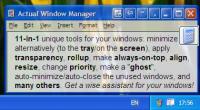
Actual Window Manager is a suite of over 50 innovative tools, letting users change their interaction with windows in many new exciting ways: minimize windows to tray or to an icon on the desktop, apply transparency, roll up, pin on top, resize, etc.
Actual Window Manager is a desktop productivity suite of over 50 tools, letting users change their interaction with windows in many new exciting ways: minimize windows to tray or screen, apply transparency, roll up, pin on top, auto-align windows, resize, etc. Any of these operations (and many others) can be done in a click on the title buttons, which are added to the standard Minimize/Maximize/Close buttons after the installation. In addition to buttons, users can set up specific settings to be applied to predefined windows automatically (for example, 50% transparency for Winamp).
Installation and getting started is remarkably easy. Once installed, Actual Window Manager adds its own buttons to the title bar of each window. By default the program has profiles with the settings for the most popular Windows applications, but users can change these profiles to their preferences or make a profile of their own, which is a breeze to do. To make such changes, one needs to bring up the Configuration window and modify or set up a rule for a particular program, which can be done in a simple, point-and-click manner.
Actual Window Manager is particularly useful when you are simultaneously working with several applications. Switching from one window to another distracts attention, reducing the productivity of work. Moreover, the taskbar becomes packed with minimized windows. But it is not the case when you have Actual Window Manager on your computer. You can set it up to minimize windows to tray or on the desktop, roll them up, set up the appropriate level of semi-transparency. If you need to multitask in several applications at once, you can pin all necessary windows on top without the need to bring each one up several times.
And the last but not least: Actual Window Manager is the only window manager that provides the fully featured support for command prompt windows and native 64-bit applications running on any x64 edition of Windows.
Requirements:
• 128+ Mb RAM
• Internet Explorer 5.0 minimum
• 10+ Mb of free disk space
• P-III 600+ CPU
Operating system:Windows 2K / XP / XP 64 bit / Vista / Vista 64 bit / 7 / 7 64 bit / 8 / 8 64 bit / 2003 / 2008 / 10 / 10 64 bit
Limitations:60-day evaluation period, registration reminder popup window
Release notes:Minor Update

Easy to use estimation tool
Price: $ 435, Rating: 9.75, Downloads: 192
Download

The Aximion is the project developed to provide a 3D interface for Windows-like operation systems. It replaces ordinary 2D GUI Windows interface with a true 3D virtual interactive environment.
Price: $28.88, Rating: 10, Downloads: 113
Download
The sixth member of the Ghost Forest family of interactive desktop wallpapers.
Price: $0, Rating: 8, Downloads: 113
Download

eXtra Buttons is shareware software that presents 9 buttons in windows captions
Price: $0, Rating: 8, Downloads: 106
Download
Sheet metal unfolder for AutoCAD
Price: $ 48, Rating: 9.5, Downloads: 105
Download 
 Actual Window Manager 8.10.2